

Give Students Literacy Support Right at Their Fingertips
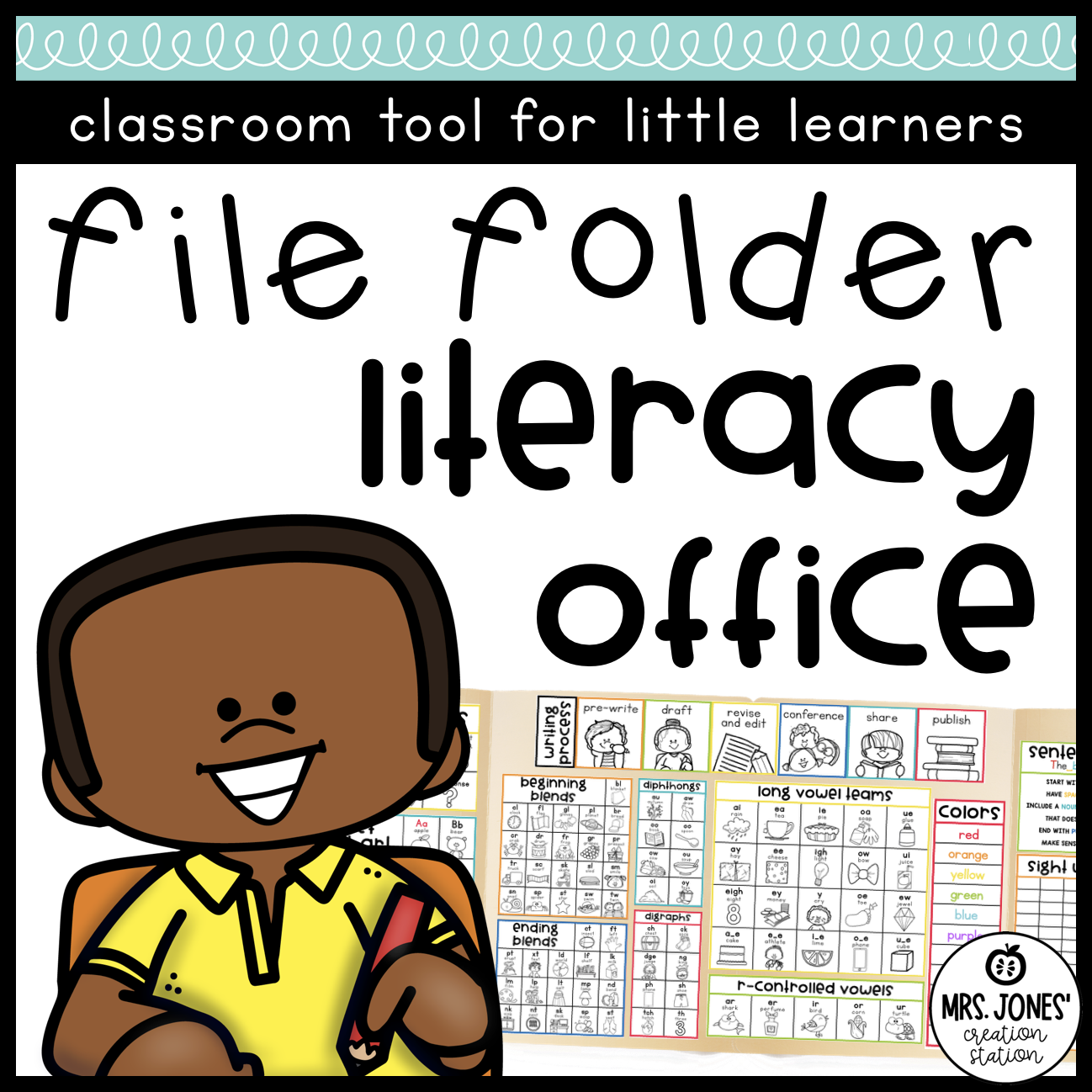
Help young learners work more independently with this Literacy Student Office packed with phonics, reading, and writing reference tools.
Students can keep the file folder office at their workspace and quickly check an alphabet sound, vowel pattern, blend, digraph, sight word, reading strategy, sentence rule, or writing step when they need help. Instead of immediately asking the teacher, students have visual references they can use to problem-solve on their own.
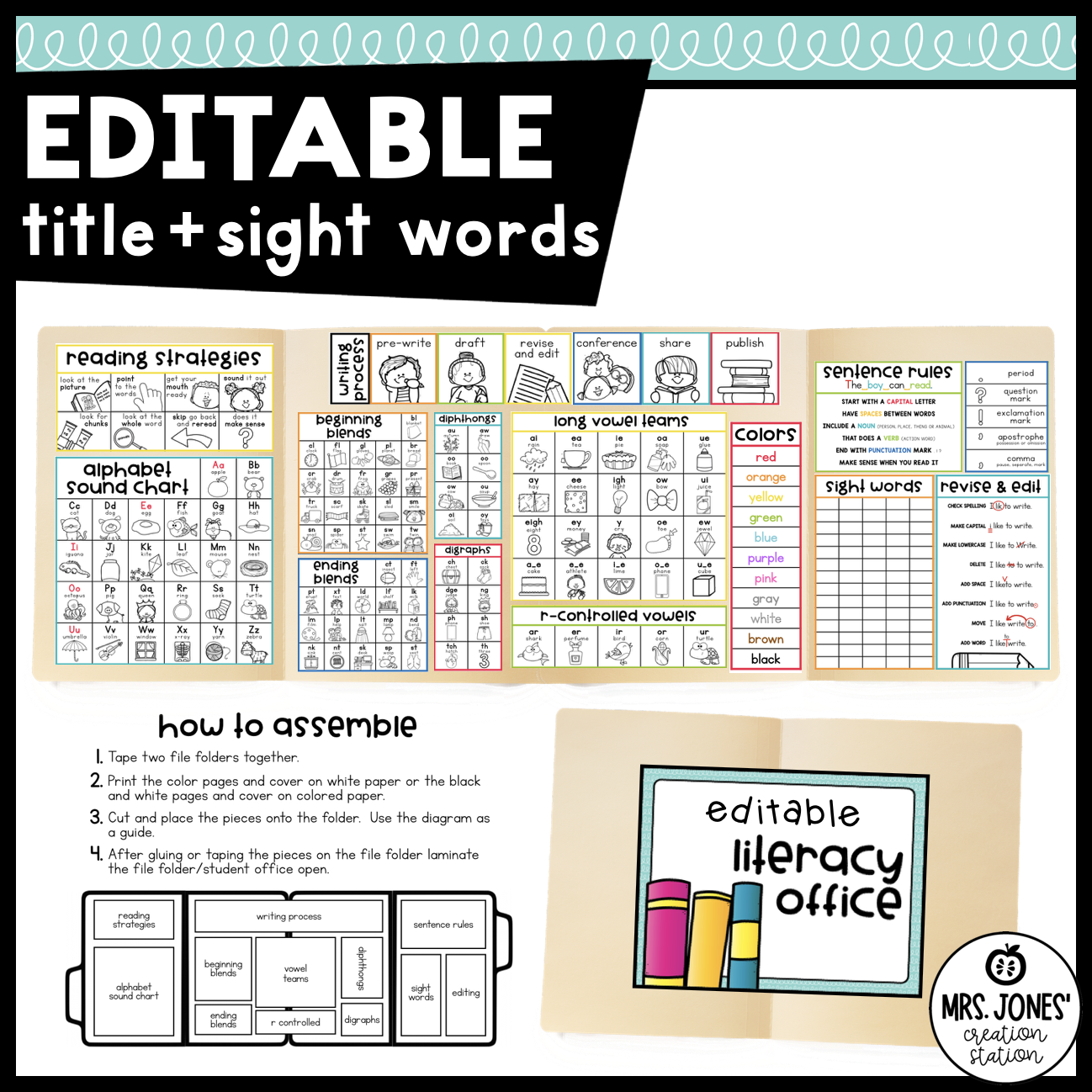
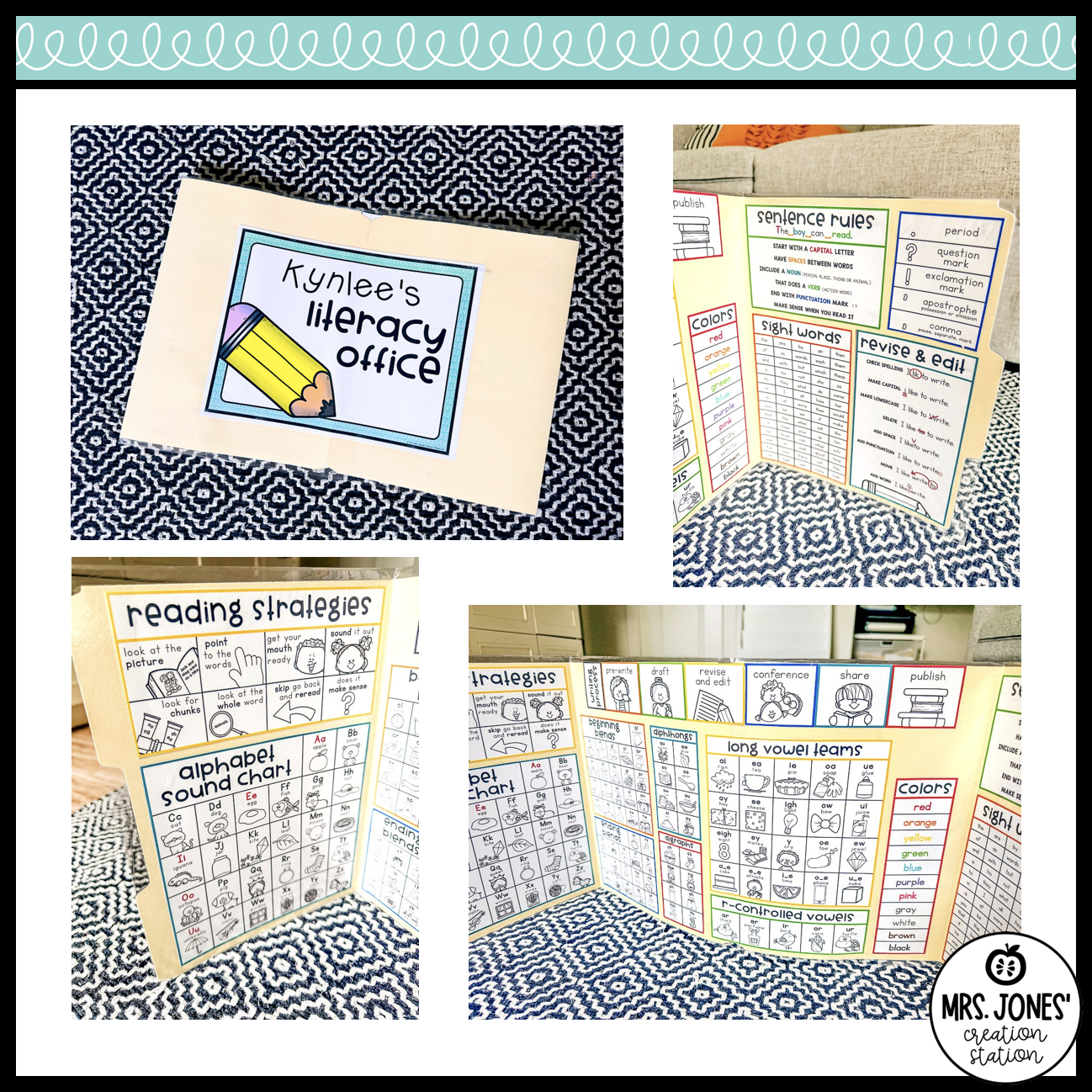
The literacy office also doubles as a student privacy folder, making it especially useful during independent work, literacy centers, writing, and assessments. The finished office uses two file folders taped together to create a large reference area that can stand around a student’s workspace, as shown in the product photo.
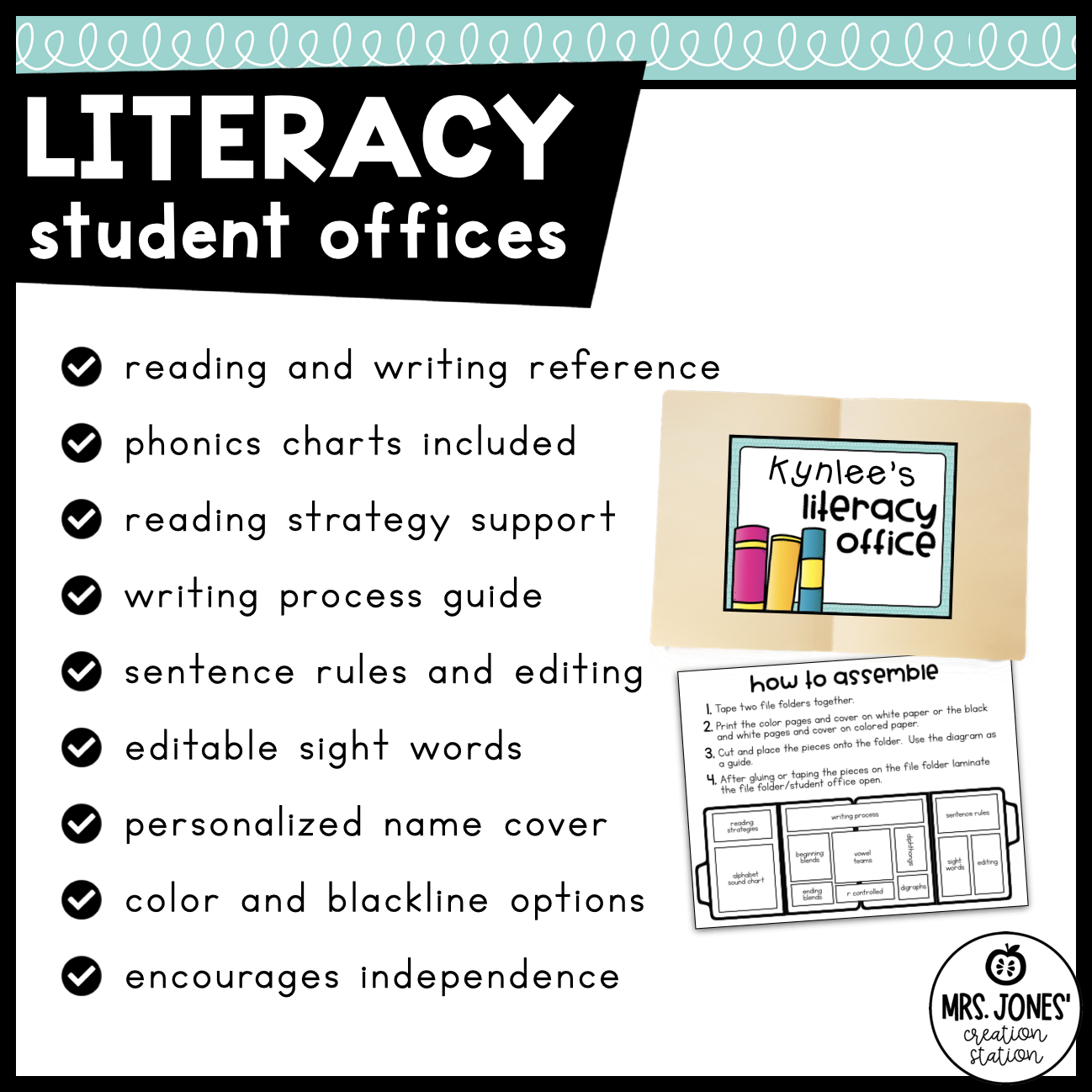
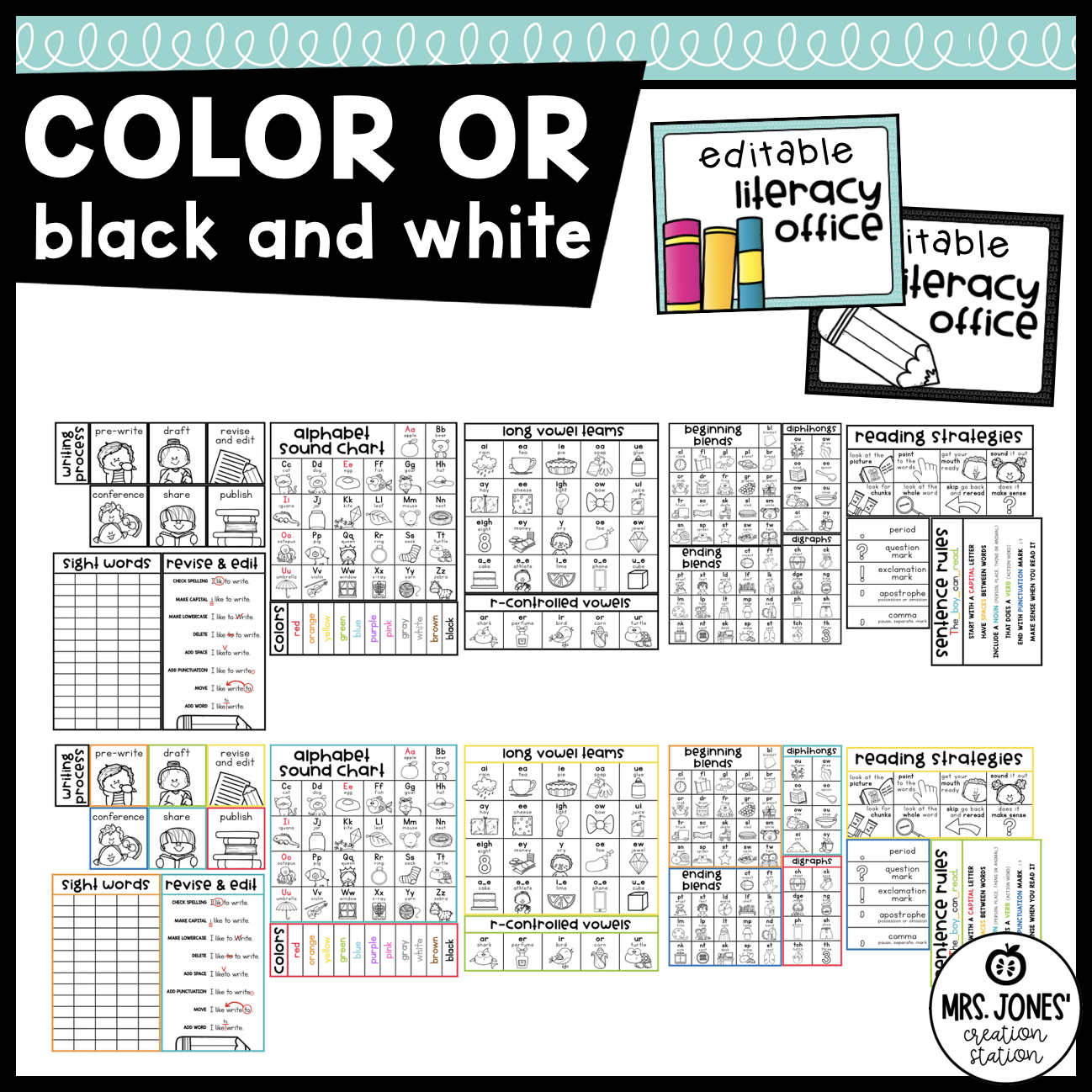
Plus, the resource includes color and black-and-white options, so you can choose the version that works best for your classroom and printing needs.
WHAT’S INCLUDED
PHONICS & WORD WORK REFERENCES
Students have quick access to visual phonics supports, including:
- Alphabet sound chart with uppercase and lowercase letters
- Beginning sound pictures
- Color words
- Beginning blends
- Ending blends
- Digraphs
- Diphthongs
- Long vowel teams
- Silent E patterns
- R-controlled vowels
- Sight word reference chart
READING SUPPORTS
The included Reading Strategies chart gives beginning readers visual reminders they can use when they get stuck on a word.
Strategies include looking at the picture, pointing to the words, getting your mouth ready, sounding it out, looking for chunks, looking at the whole word, skipping and rereading, and asking whether the sentence makes sense.
WRITING SUPPORTS
Students can also reference:
- Writing process
- Pre-write
- Draft
- Revise and edit
- Conference
- Share
- Publish
- Sentence rules
- Punctuation marks
- Revising and editing reminders
EDITABLE LITERACY OFFICE COVERS
Personalize each office with the student’s name using the included editable name field.
The resource includes different cover designs as well as color and black-and-white options.
ASSEMBLY DIRECTIONS
Clear directions and a placement diagram show you how to assemble the student offices.
Simply tape two file folders together, print your preferred version, attach the reference pieces, and laminate the office open for added durability.
SKILLS COVERED
- Alphabet recognition
- Letter-sound correspondence
- Beginning sounds
- Phonics patterns
- Beginning and ending blends
- Digraphs and diphthongs
- Long vowel teams
- R-controlled vowels
- Sight word recognition
- Reading strategies
- Decoding
- Sentence conventions
- Capitalization and punctuation
- Writing process
- Revising and editing
- Independent reading and writing
- Using reference tools independently
HOW TO USE
First, print either the color or black-and-white version. Then, tape two file folders together and use the included diagram to position each literacy reference. Once assembled, laminate the office open if you want it to hold up to daily classroom use.
Next, introduce the sections gradually. For example, model how students can check the alphabet sound chart when they need help with a sound. Later, show them where to find blends, vowel patterns, reading strategies, and writing reminders.
During independent work, students can place the office around their workspace. This provides a little extra privacy while keeping useful literacy references within reach.
Use the offices during Writer’s Workshop, independent reading, literacy centers, word work, morning work, assessments, or everyday classroom assignments.
WHY TEACHERS LOVE IT
- Combines phonics, reading, and writing references in one resource
- Encourages students to solve problems independently
- Keeps frequently used literacy supports within reach
- Doubles as a student privacy folder
- Includes color and black-and-white options
- Includes editable student-name covers
- Supports both reading and writing time
- Can stay at student workspaces throughout the school year
- Helps cut down on the classic “How do I spell…?” interruption when the answer is already sitting right in front of them


Reviews
There are no reviews yet.